
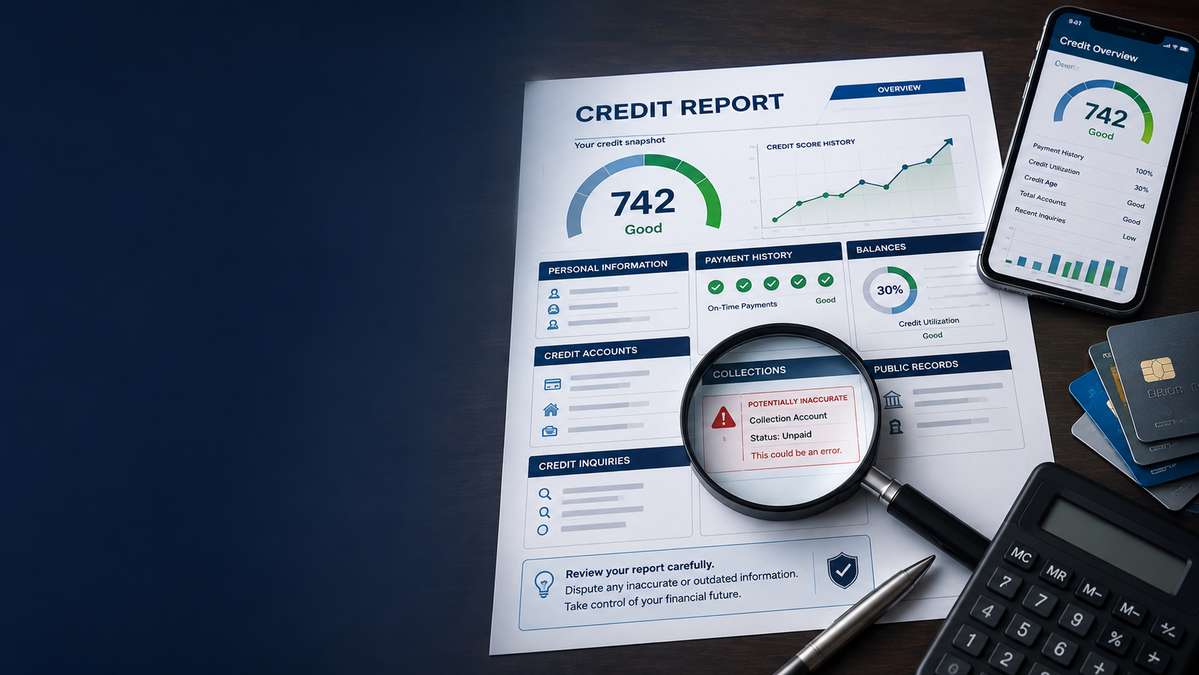
This guide walks you through every part of a credit report in plain language. You’ll learn what each section means, what to look for, what to do when something looks wrong, and how the three major bureaus differ in how they present your information. By the end, you’ll be able to pick up any credit report and read it with confidence.
What a Credit Report Actually Is
A credit report is a detailed record of your credit history — essentially, a financial dossier that tracks how you’ve borrowed and repaid money over time. It’s maintained by the three major credit reporting bureaus in the United States: Equifax, Experian, and TransUnion. These bureaus collect information from creditors (banks, credit card issuers, auto lenders, mortgage companies), public records sources, and collection agencies, and compile it into a standardized report.
Your report contains identifying information, a list of every credit account you’ve opened (past and present), your payment history on each one, public records like bankruptcies or tax liens, inquiries made by lenders when you’ve applied for credit, and any accounts that have been sent to collections. It does not contain your credit score — that’s a separate calculation derived from the report’s data. It also doesn’t include your salary, bank account balances, retirement savings, or criminal history. Credit reports are specifically about borrowing behavior.
Under federal law — specifically the Fair Credit Reporting Act (FCRA) — you have the right to see what’s in your report. You’re entitled to one free report from each bureau every 12 months through AnnualCreditReport.com, and since the pandemic, the bureaus have generally made weekly access available as well. You can also get a free report if you’ve been denied credit, insurance, or employment based on your credit, or if you suspect fraud.
The reason understanding your report matters so much: everything flows from it. A single inaccurate late payment, a mixed file with someone who shares your name, or a collections account that was already paid can drag down your score for years. And because lenders report to the bureaus voluntarily and on their own timelines, mistakes happen more often than most people realize.
Credit Report vs. Credit Score: The Key Difference
People often use “credit report” and “credit score” interchangeably, but they’re two different things — and understanding the difference is the first step to reading your report effectively.
Your credit report is the raw data. It’s the document — pages of account entries, dates, balances, and status codes. Think of it as the answer sheet.
Your credit score is a number — usually between 300 and 850 — that’s calculated from the information in your report. It’s a summary grade. The most common scoring model is FICO, but VantageScore is also widely used. Both analyze the same underlying report data and produce a three-digit number that tells lenders, at a glance, how risky you are as a borrower.
Here’s why this matters when you’re learning how to read a credit report: you can’t fix a score directly. You fix the report, and the score follows. If your score is lower than you’d like, the reason lives inside your report — and the only durable way to raise that score is to correct, dispute, or strategically manage what’s on the report itself.
The five factors that most influence your FICO score, and where they live in your report:
| Factor | Weight | Where to Find It in Your Report |
|---|---|---|
| Payment history | 35% | The payment history grid on each trade line |
| Amounts owed (utilization) | 30% | Balances and credit limits on revolving accounts |
| Length of credit history | 15% | Date opened on your oldest accounts |
| Credit mix | 10% | Variety of account types in trade lines |
| New credit / inquiries | 10% | The inquiries section |
So when you read your report, you’re not just looking for errors — you’re looking for opportunities. Every section tells you something about what’s helping or hurting your score.
The Five Main Sections of a Credit Report
While the three bureaus format their reports differently, all three organize your information into the same five core sections. Once you recognize the structure, you can navigate any report regardless of which bureau produced it.
1. Personal Information
This section sits at the top of your report and identifies you. It typically includes:
- Full legal name (and any variations or aliases you’ve used on credit applications)
- Current and previous addresses
- Date of birth
- Social Security number (usually partially masked, showing only the last four digits)
- Current and former employers (reported by lenders when you list employment on an application)
- Phone numbers associated with your file
What to look for that’s wrong:
Personal information errors are more common than most people think, and they can cause serious problems. A misspelled name, a wrong address, or an employer you never worked for might seem harmless, but these details are how the bureaus match you to credit data. If your file gets mixed with someone who has a similar name or lived at an address you once used, their accounts and payment history can end up on your report — a problem known as a “mixed file.”
Check every entry carefully:
- Are there names you’ve never used? Variations are normal (a married name, a nickname), but a completely unfamiliar name is a red flag.
- Are all the addresses yours? An address you’ve never lived at could indicate identity theft or a mixed file.
- Is your Social Security number correct? Even a single transposed digit can cause matching problems.
- Are the employers listed actually places you’ve worked? Employers sometimes stay on your report long after you’ve left, which is fine — but one you’ve never heard of is not.
Small variations (like “Jon” vs. “Jonathan”) are generally harmless and don’t need disputing. But anything that’s clearly not you should be flagged for correction.
2. Credit Accounts (Trade Lines)
This is the heart of your credit report. Trade lines — also called account history or credit items — are individual records for every credit account you’ve ever had. Each trade line is a mini-profile of one account, showing who the creditor is, what type of account it is, when it was opened, your current balance, your credit limit or original loan amount, and your complete payment history.
There are two main categories of trade lines:
Revolving accounts — credit cards, store cards, and lines of credit. These stay open indefinitely (until you or the issuer closes them) and have a credit limit you can borrow against repeatedly. Your balance fluctuates month to month.
Installment accounts — mortgages, auto loans, student loans, and personal loans. These have a fixed original loan amount, a set repayment term, and a balance that decreases as you pay it down.
Each trade line also has a status that tells the bureau (and anyone reading the report) what state the account is in:
| Status | What It Means |
|---|---|
| Open / Current | Account is active and payments are up to date |
| Pays as agreed | Payments are being made on time per the contract |
| 30 / 60 / 90 / 120 days late | Payments are past due by that many days |
| Collection | Account was turned over to a collection agency |
| Charge-off | Creditor wrote the debt off as a loss (usually after 180 days delinquent) |
| Closed | Account is no longer active (can be closed by you or the creditor) |
| Settled | You paid less than the full balance to resolve the debt |
| Included in bankruptcy | Account is part of a bankruptcy filing |
What to look for that’s wrong:
Trade line errors are the most consequential mistakes on a credit report because they directly impact your payment history (35% of your score) and utilization (30%). Watch for:
- Accounts that don’t belong to you — possibly identity theft or a mixed file
- Late payments you believe were made on time
- Accounts marked as open when you’ve closed them (or vice versa)
- Balances that are significantly higher than what you actually owe
- Credit limits reported incorrectly (a lower-than-actual limit makes your utilization look worse)
- Duplicate accounts — the same debt listed twice
- Accounts showing as charge-offs or collections when you’ve already paid or settled them
- A date opened that’s wrong — this affects your average age of accounts
We’ll go deeper into how to read each field inside a trade line in the next section.
3. Public Records
Public records are legal filings related to your finances that have been reported by courts or government agencies. The three types that appear on credit reports are:
- Bankruptcies — Chapter 7 (liquidation) and Chapter 13 (reorganization) filings
- Tax liens — unpaid tax debts claimed by a government entity (note: as of recent policy changes, the bureaus have largely removed tax liens from reports, but older reports may still show them)
- Civil judgments — court-ordered debts resulting from lawsuits (also largely removed under recent bureau policy changes)
Public records are among the most damaging items on a credit report. A Chapter 7 bankruptcy stays on your report for 10 years from the filing date; a Chapter 13 stays for 7 years. Tax liens and judgments, when they do appear, typically remain for 7 years.
What to look for that’s wrong:
- A bankruptcy that was discharged but is still showing as active
- A bankruptcy that belongs to a family member or someone with a similar name
- A public record that’s past the reporting window and should have fallen off
- A tax lien or judgment that was vacated, satisfied, or dismissed but still shows as open
- Duplicate entries for the same filing
Public records come from court data, not from creditors, so the path to correcting them often involves both the court and the bureau. If a record is inaccurate, you’ll need documentation from the court showing the correct status.
4. Credit Inquiries
Inquiries are records of who has looked at your credit report. There are two types, and the distinction matters a lot:
Hard inquiries (also called “hard pulls”) occur when a lender checks your credit in response to an application you’ve submitted — for a credit card, mortgage, auto loan, personal loan, or other credit product. Hard inquiries can affect your credit score, typically by a few points, and they stay on your report for 2 years (though FICO only factors them into your score for the first 12 months).
Soft inquiry (also called “soft pulls”) occur when you check your own credit, when a lender sends you a pre-approved offer, when an existing creditor monitors your account, or when an employer or insurance company checks your credit with your permission. Soft inquiries do not affect your credit score at all, and they’re only visible to you on your report — not to lenders who pull it.
We’ll cover how to read the inquiries section in detail below.
5. Collections
When an account becomes severely delinquent — usually 180 days past due — the original creditor may close the account, write it off as a loss (a charge-off), and either assign or sell the debt to a collection agency. That collection agency then reports the debt to the bureaus as a separate entry, creating a collections item on your report.
Collections can also appear for medical bills, utility bills, unpaid gym memberships, apartment lease breakages, and other debts that weren’t originally traditional credit accounts. These are sometimes called “non-account collections” or “collection items without an associated trade line.”
Collections are serious: they can drop your score by 60 to 100+ points depending on your starting score and the rest of your profile. They remain on your report for 7 years from the date of the original delinquency (the date you first missed a payment with the original creditor, before the account went to collections).
What to look for that’s wrong:
- A collection for a debt you’ve already paid or settled
- A collection for a debt that isn’t yours
- A collection that’s past the 7-year reporting window
- Duplicate collections — the same debt reported by multiple agencies (this happens when a debt is sold from one collector to another and both report it)
- A collection with a wrong balance or wrong original creditor
- Medical collections that should have been removed under the recent policy changes (medical collections under $500 are generally no longer reported, and paid medical collections are removed)
How to Read Each Account Entry
Now let’s zoom in on a single trade line. Understanding each field is what allows you to actually audit your report rather than just skim it.
A typical trade line on your report will include these fields:
Creditor Name and Account Number
The name of the lender and a partially masked account number (usually showing only the last four digits). Verify the creditor is one you recognize and the account number matches your records.
Account Type
Whether the account is revolving (credit card, line of credit) or installment (mortgage, auto loan, student loan). This affects how the account factors into your credit mix.
Date Opened
The month and year the account was opened. This is important for two reasons: it contributes to your length of credit history, and it’s a common source of errors. If a date opened is later than it should be, your account appears younger than it is, which can lower your average age of accounts.
Date of First Delinquency (DOFD)
This is one of the most important — and most overlooked — dates on your report. The DOFD is the date you first missed a payment on an account, before it went into default. It’s the clock that starts the 7-year reporting period for negative items. After 7 years from the DOFD, the negative item (late payments, charge-off, collection) must be removed from your report.
Many people don’t know about the DOFD, and collectors sometimes re-age debts by reporting a more recent DOFD to keep the item on your report longer. This is illegal under the FCRA, and it’s one of the most valuable things to check when you’re auditing a negative account.
Date of Last Activity
The most recent date any activity occurred on the account — a payment, a charge, or a credit. This can sometimes be confused with the DOFD, but they’re different. Understanding both helps you calculate when negative items should age off.
Credit Limit or Original Loan Amount
For revolving accounts, this is your credit limit. For installment loans, it’s the original amount you borrowed. A revolving account with an incorrectly low limit makes your utilization ratio look higher than it is, which can hurt your score even if you pay in full each month.
Balance
The amount you currently owe. For revolving accounts, this is the balance as of the creditor’s last reporting date — it may not reflect payments you’ve made since. If a balance is dramatically wrong, it could be a reporting lag or an error worth disputing.
Monthly Payment
For installment loans, your scheduled monthly payment. For revolving accounts, this may show your minimum payment or the most recent payment amount.
Account Status
Whether the account is open, closed, current, delinquent, in collections, charged off, included in bankruptcy, or settled. Verify the status matches what you know to be true.
Payment History Grid
This is a series of symbols (usually a grid of squares or a list of codes) showing your payment status for each month the account has been reported. A clean payment history shows a string of “OK” or green marks. Late payments show up as 30, 60, 90, or 120, indicating how many days past due you were that month.
This grid is one of the first places to look for errors. A single misreported late payment can cost you 60 to 80 points, and it’s surprisingly easy for a creditor’s reporting system to glitch and mark an on-time payment as late. Cross-reference any late marks against your own bank statements or payment confirmations.
Responsibility
Whether the account is individual (just you), joint (you and someone else), or authorized user (someone else’s account you have permission to use). Authorized user accounts affect your score but aren’t your legal responsibility to repay.
Remarks
Free-text notes from the creditor or bureau. These might say “Account closed at consumer’s request,” “Lost or stolen card,” or “Payment deferred.” Remarks can provide useful context but can also contain errors.
The most common trade line errors, ranked by score impact:
- Late payments that were actually on time (highest impact — 35% of score)
- Incorrect credit limits inflating your utilization (30% of score)
- Accounts that don’t belong to you (possible identity theft or mixed file)
- Duplicate accounts doubling your reported debt
- Charge-offs or collections that have been paid but still show as unpaid
- Wrong date opened artificially shortening your credit history
How to Read the Inquiries Section
The inquiries section lists every entity that has pulled your credit report. Reading it correctly comes down to distinguishing hard from soft inquiries and knowing what each one means.
Hard Inquiries
Each hard inquiry entry will show:
- The name of the company that pulled your report
- The date of the inquiry
- The type of inquiry (usually labeled “credit application” or similar)
Hard inquiries happen when you apply for credit. They’re initiated by your action. Common triggers:
- Applying for a credit card
- Applying for a mortgage or refinancing
- Applying for an auto loan
- Applying for a personal loan or student loan
- Requesting a credit limit increase (sometimes — depends on the issuer)
- Applying for an apartment rental (sometimes)
- Opening a utility or cell phone account (sometimes)
Rate shopping protection: If you’re shopping for a mortgage, auto loan, or student loan, multiple inquiries for the same type of credit within a short window (typically 14 to 45 days, depending on the scoring model) are usually counted as a single inquiry for scoring purposes. This is designed so you can compare rates without each application dinging your score separately. So if you’re buying a car and apply at three different banks in two weeks, it counts as one inquiry on your score — though all three will still show up individually on your report.
What to look for that’s wrong:
- Hard inquiries from companies you don’t recognize and didn’t apply with — this could be identity theft
- Duplicate inquiries from the same lender on the same day (these can sometimes be consolidated)
- Inquiries older than 2 years that haven’t fallen off
If you see a hard inquiry you didn’t initiate, it’s worth investigating. Start by contacting the company that made the inquiry to find out what application triggered it. If it was fraudulent, you can dispute it and consider placing a fraud alert or security freeze on your file.
Soft Inquiries
Soft inquiries show up in a separate section of your report. They include:
- Your own credit checks (when you pull your own report)
- Pre-approved offer screenings by lenders
- Account monitoring by your existing creditors
- Insurance or employment checks (with your permission)
- Public-record database updates
Soft inquiries never affect your credit score. You can have dozens of them and it won’t matter. They’re listed for your information so you can see who’s been looking at your file, but they’re not a cause for concern unless you see something truly unfamiliar — which could indicate someone is accessing your credit information without authorization.
How to Read Public Records
Public records are the most severe items that can appear on your credit report, and reading them correctly requires understanding what each type means and how long it should stay.
Bankruptcies
A bankruptcy entry will typically show:
- The court where the filing was made
- The filing date
- The case number
- The chapter (Chapter 7 or Chapter 13)
- The disposition (filed, dismissed, or discharged)
- The discharge or dismissal date
Reporting timelines:
- Chapter 7: 10 years from the filing date
- Chapter 13: 7 years from the filing date
- Dismissed Chapter 13: 7 years from the dismissal date
- Dismissed Chapter 7: 10 years from the filing date (dismissed means the case was thrown out, not completed)
What to look for: A bankruptcy that’s past its reporting window should be removed automatically, but it doesn’t always happen. If yours is older than the limit, dispute it. Also verify the chapter is correct — a Chapter 13 mistakenly reported as Chapter 7 would stay on your report three years longer than it should.
Tax Liens and Civil Judgments
Due to policy changes implemented by all three bureaus between 2017 and 2018, most tax liens and civil judgments have been removed from credit reports. The bureaus made this change because the data was often incomplete or mismatched to the wrong person. However, it’s still worth checking your report for any lingering entries, especially if you’re looking at an older report or one that includes supplemented data.
If you do see a tax lien or judgment:
- Verify it’s actually yours
- Check whether it’s been satisfied, vacated, or dismissed
- Confirm the date — if it’s more than 7 years old, it should be removed
- If it’s been satisfied but still shows as open, dispute it with supporting documentation
What the Codes and Abbreviations Mean
Credit reports use a standardized set of codes to keep things compact. Different bureaus may use slightly different formats, but the underlying meanings are consistent. Here are the most common ones you’ll encounter.
Payment Status Codes
| Code | Meaning |
|---|---|
| 0 or OK | Pays as agreed, account current |
| 30 | 30 days past due |
| 60 | 60 days past due |
| 90 | 90 days past due |
| 120 | 120 days past due |
| 150 | 150 days past due |
| C | Current |
| X | No reportable activity for that month |
| – | Not rated / no data available |
Account Type Codes
| Code | Meaning |
|---|---|
| R | Revolving account (credit card, line of credit) |
| I | Installment account (auto loan, mortgage, personal loan) |
| O | Open account (charge account, typically due in full each month) |
| M | Mortgage |
Account Status Codes
| Code | Meaning |
|---|---|
| 1 | Pays as agreed |
| 2 | 30+ days past due |
| 3 | 60+ days past due |
| 4 | 90+ days past due |
| 5 | 120+ days past due or collections/charged off |
| 7 | Included in bankruptcy |
| 8 | Foreclosure |
| 9 | Charge-off |
Other Common Abbreviations
| Abbreviation | Meaning |
|---|---|
| DOFD | Date of First Delinquency |
| DOLA | Date of Last Activity |
| DOLP | Date of Last Payment |
| CL | Credit Limit |
| HC | High Credit (highest balance ever reported) |
| TLA | Total Loan Amount (original amount borrowed) |
| ECOA | Equal Credit Opportunity Act code (indicates who’s responsible for the account) |
| ARD | Account Review Date |
| FR | Fraud alert |
The ECOA code is worth knowing because it tells you who’s legally responsible for the account:
| ECOA Code | Meaning |
|---|---|
| I | Individual |
| J | Joint |
| A | Authorized user |
| C | Co-signer |
| S | Shared |
| T | Terminated |
| U | Undesignated |
If you’re an authorized user on someone else’s account, it should show an “A” — the account affects your score but you’re not responsible for the debt. If an account you thought was an authorized user shows up as joint or individual, that’s an error worth correcting.
Understanding these codes turns your report from a wall of abbreviations into a readable document. When you see “R1” next to an account, you know it’s a revolving account that pays as agreed. When you see “I5,” you know it’s an installment account that’s 120+ days past due or in collections — a serious issue that needs attention.
Section-by-Section Audit Checklist
When you’re ready to actually audit your report, work through each section methodically. Here’s a checklist you can follow for every credit report you pull.
- Personal information: Verify every name, alias, address, employer, and date of birth listed. Flag anything you do not recognize. Wrong personal data is both an error in itself and a leading cause of mixed files.
- Account history: Verify the account name and number, open date, account status, credit limit or original loan amount, balance, monthly payment, payment history, date of last activity, and responsibility.
- Public records: Check for bankruptcies, civil judgments, and tax liens. Verify each is actually yours, was reported correctly, and is within its reporting window.
- Inquiries: Scan hard inquiries for any you do not recognize. An unrecognized hard inquiry may be an error or a sign of identity theft.
- Collections: Verify each collection is yours, that the amount is correct, and that the original delinquency date is accurate. If a collection was paid or settled and is still showing an unpaid balance, that is an error.
How the Three Bureaus’ Reports Differ
The three credit bureaus — Equifax, Experian, and TransUnion — maintain separate databases, so the information on your reports will not necessarily be identical.
This means an account might appear on your Equifax and Experian reports but not your TransUnion report — and that’s normal, not necessarily an error.
Differences also arise from:
- Reporting timing: Each creditor sends updates on their own schedule, so the same account may show a slightly different balance or status depending on when each bureau last received an update.
- Data formatting: Each bureau formats its reports differently. Field names, section order, and code displays vary, so the same account looks different on each report.
- Public record sourcing: Each bureau obtains public records from slightly different sources and at different intervals.
- Dispute resolution: When you dispute an item, the correction happens at the bureau you disputed with. If you dispute an error only with Equifax, it remains on your Experian and TransUnion reports until you dispute it with them too.
Format differences between the bureaus
While the underlying data structure is the same (personal info, trade lines, public records, inquiries, collections), each bureau presents it differently:
Equifax tends to present trade lines in a structured list with clear field labels. Inquiries are split into separate sections for hard and soft. The format is generally considered the most straightforward to read for beginners.
Experian groups accounts by type (mortgage, installment, revolving, collections) and uses a detailed payment history grid. It also includes a “potentially negative items” summary at the top that flags items the bureau considers harmful to your score.
TransUnion uses a more narrative format with accounts grouped by status. It often includes more employer and address history than the other two. The layout can feel denser, but it also surfaces a lot of detail.
What this means for you
The practical takeaway: you need to check all three reports. Reviewing only one leaves blind spots. An error on your TransUnion report that’s costing you 50 points won’t show up on your Equifax report, and a lender that pulls TransUnion will see the error even if your other two reports are clean.
This is also why, when you dispute an error, you generally need to dispute it with each bureau separately. The FCRA requires each bureau to investigate disputes independently — correcting one doesn’t automatically correct the others.
If pulling and reviewing three separate reports feels overwhelming, that’s exactly the kind of work a credit repair service handles for you. A reputable firm pulls all three reports, audits each one line by line, identifies errors across all three, and manages the dispute process with each bureau simultaneously.
What to Do When You Spot an Error
Finding an error on your credit report is frustrating, but the FCRA gives you a clear, legally backed process for correcting it. Here’s how it works.
Step 1: Gather your documentation
Before you dispute anything, collect evidence that supports your claim. This might include:
- Bank or credit card statements showing on-time payments
- A letter from a creditor confirming an account was closed, paid, or settled
- Court documents showing a bankruptcy discharge, a vacated judgment, or a dismissed case
- A police report or FTC Identity Theft Report if the error is the result of fraud
- Your own records of the account’s correct balance, credit limit, or date opened
The stronger your documentation, the more likely the dispute succeeds quickly.
Step 2: Dispute with the credit bureau(s)
You can dispute errors online, by phone, or by mail with each bureau. Many consumer advocates recommend submitting disputes by mail with certified mail return receipt, because it creates a paper trail and forces the bureau to respond within a specific legal timeframe. However, online disputes are faster and are now widely accepted.
Under the FCRA, the bureau must investigate your dispute within 30 days (sometimes 45 days if you submit additional information during the investigation). They must forward your dispute to the creditor that furnished the information, and that creditor must review and respond. If the creditor can’t verify the information, or doesn’t respond in time, the bureau must remove or correct the item.
Important: Dispute the error with each bureau that’s reporting it. Correcting it with one doesn’t correct it with the others.
Step 3: Dispute with the creditor (furnisher)
If the bureau’s investigation comes back “verified” and you believe the information is still wrong, you can dispute directly with the creditor that furnished the information — known as the furnisher. Under FCRA Section 623, furnishers have an obligation to investigate disputes and correct inaccurate information. Send them the same documentation you sent the bureau, along with a clear statement of what’s wrong and what you want corrected.
Step 4: Add a statement of dispute
If the dispute is resolved in the creditor’s favor and the item remains, you have the right to add a 100-word statement of dispute to your credit file. This statement doesn’t change your score, but anyone who pulls your report will see your side of the story. In practice, this rarely helps with automated lending decisions, but it can matter for manual reviews — like a mortgage underwriter or a landlord reading your report.
Step 5: Escalate if necessary
If the bureau and the furnisher both refuse to correct a genuine error, you have additional options:
- File a complaint with the Consumer Financial Protection Bureau (CFPB). The CFPB forwards complaints to the company and tracks their response. This often gets attention that individual disputes don’t.
- File a complaint with your state attorney general’s office.
- Consult a consumer protection attorney. The FCRA allows consumers to sue for actual damages, statutory damages, and attorney’s fees when a bureau or furnisher willfully or negligently violates the law.
For a deeper dive into the dispute process, including templates and timelines, see our guide to disputing credit report errors.
What not to do
A few common mistakes to avoid:
- Don’t dispute everything at once. Filing a dozen disputes simultaneously can cause the bureau to flag your disputes as frivolous, which lets them dismiss them without investigating. Prioritize the most impactful errors first.
- Don’t dispute accurate information. If a late payment is real, disputing it won’t remove it (and repeated disputes on the same accurate item can get your future disputes ignored).
- Don’t close accounts in response to errors. Closing an account to “get rid of it” can shorten your credit history and increase your utilization. Dispute the error instead.
- Don’t pay a collection just to make it disappear. Paying a collection updates the balance to zero but doesn’t remove the entry from your report (unless you negotiate a “pay-for-delete” agreement in writing beforehand). The collection still shows for 7 years from the DOFD — it just shows as paid rather than unpaid. Whether paying helps your score depends on the scoring model; newer FICO and VantageScore models ignore paid collections, but older models still count them.
Frequently Asked Questions
How often should I check my credit report?
At minimum, pull all three reports once a year through AnnualCreditReport.com. Many people benefit from staggering them — pulling Equifax in January, Experian in May, and TransUnion in September — so you’re checking a fresh report every four months. If you’re actively repairing your credit, monitoring for fraud, or preparing for a major purchase like a home, check more frequently. The bureaus currently allow weekly pulls at no cost.
Will checking my own credit report hurt my score?
No. When you pull your own report, it’s a soft inquiry and has zero impact on your score. This is true whether you use AnnualCreditReport.com, a credit monitoring service, or your bank’s free credit dashboard. You can check your own report as often as you like without any penalty.
What’s the difference between a credit report and a credit monitoring service?
A credit report is the document itself — the full record of your credit history from a specific bureau. A credit monitoring service is a tool that watches your credit file and alerts you to changes (new inquiries, new accounts, status changes, score movements). Monitoring services are useful for catching fraud early and tracking progress, but they’re not a substitute for sitting down and reading your full report carefully at least once a year.
How long do negative items stay on my credit report?
The general rule is 7 years from the date of first delinquency (DOFD) for most negative items — late payments, collections, charge-offs, foreclosures, and settled accounts. Chapter 13 bankruptcy stays for 7 years from the filing date; Chapter 7 stays for 10 years. Unpaid tax liens, when they do appear, can stay indefinitely until paid, then 7 years from the payment date — though, again, most liens have been removed under current bureau policy. Positive accounts can stay on your report indefinitely and are helpful to your score, so there’s no need to worry about old good accounts.
What if an error keeps coming back after I dispute it?
Sometimes a creditor re-reports the same inaccurate information after a bureau removes it. If this happens, dispute again with updated documentation and include a note explaining that the item was previously removed. If the furnisher continues to report information they can’t verify, you may have an FCRA claim worth discussing with a consumer protection attorney. Filing a CFPB complaint at the same time often accelerates a resolution.
Can I remove accurate negative items from my report?
You can’t legally force the removal of accurate, verifiable negative information before its reporting window expires. If a credit repair company promises to remove accurate items, be skeptical — this is one of the most common signs of a scam. What you can do is build positive credit history alongside the negative items, so the impact diminishes over time. Negative items hurt less the older they get, and a strong recent payment pattern can outweigh older mistakes. The one legitimate path to early removal is a goodwill letter — asking the creditor directly to remove a late payment as a courtesy, which sometimes works for long-time customers with otherwise clean records.
Do all three bureaus have the same information on me?
No. Not all creditors report to all three bureaus, so your reports can differ in which accounts appear, what balances are shown, and even what personal information is listed. This is why it’s important to check all three — an error or a fraudulently opened account might appear on only one report.
How can a credit repair firm help me with my credit report?
A reputable, FCRA-compliant credit repair firm handles the audit and dispute process for you. That means pulling all three bureau reports, reviewing every trade line, public record, inquiry, and collection for accuracy and compliance with reporting rules, preparing and submitting disputes with the appropriate documentation, following up when disputes are verified or re-reported, and escalating to furnishers, the CFPB, or attorneys when needed. The best firms also educate you on how to build positive credit going forward so you’re not just fixing the past but strengthening the future. The key is choosing a firm that’s transparent about pricing, operates within the law, and doesn’t make guarantees about specific outcomes — because no one can promise a particular score increase or removal of accurate items.
Get a Free Credit Audit
Reading your credit report is one thing. Auditing all three — line by line, code by code, checking every DOFD and status flag against what’s legally allowed — is another. It’s detailed work, and it’s easy to miss something when you’re not sure what you’re looking at.
That’s where we come in. At credit-repair.com, we offer a free credit audit that covers all three bureau reports — Equifax, Experian, and TransUnion. We’ll pull your reports, walk through every section with you, identify errors, outdated items, and anything that shouldn’t be there, and give you a clear picture of where your credit stands and what’s holding it back.
We’re a San Diego-based, attorney-backed credit repair firm that operates in full compliance with the Fair Credit Reporting Act. We don’t make empty promises or sell quick fixes. What we do is the careful, legal, evidence-based work of correcting what’s wrong on your report and equipping you with the knowledge to keep your credit strong for the long term.
Every client gets:
- A full tri-bureau credit audit
- A personalized repair plan tailored to your specific goals
- Dispute management with all three bureaus and with original creditors
- Ongoing education so you understand your credit and how to protect it
- Transparent, affordable pricing with no hidden fees
Your credit report shouldn’t be a mystery, and the errors on it shouldn’t cost you. Let us read it with you — all three — and help you take control of your financial future.